 Propvio

Build a history that stays with your home.
Keep repairs, maintenance, improvements and important documents together. Link the tradespeople behind the work and build a Property Passport you can securely share when it’s time to sell.
Get startedFor estate agents
Request access to a property’s Passport, then share its recorded work, certificates and linked verified tradespeople with prospective buyers — and see when they’ve opened it. The homeowner stays in control. Free to start.

Why Propvio
Repairs, maintenance and upgrades in order, with the tradespeople, documents and each certificate’s status attached.
Request access from the homeowner, then share the passport with buyers. The homeowner sets any expiry.
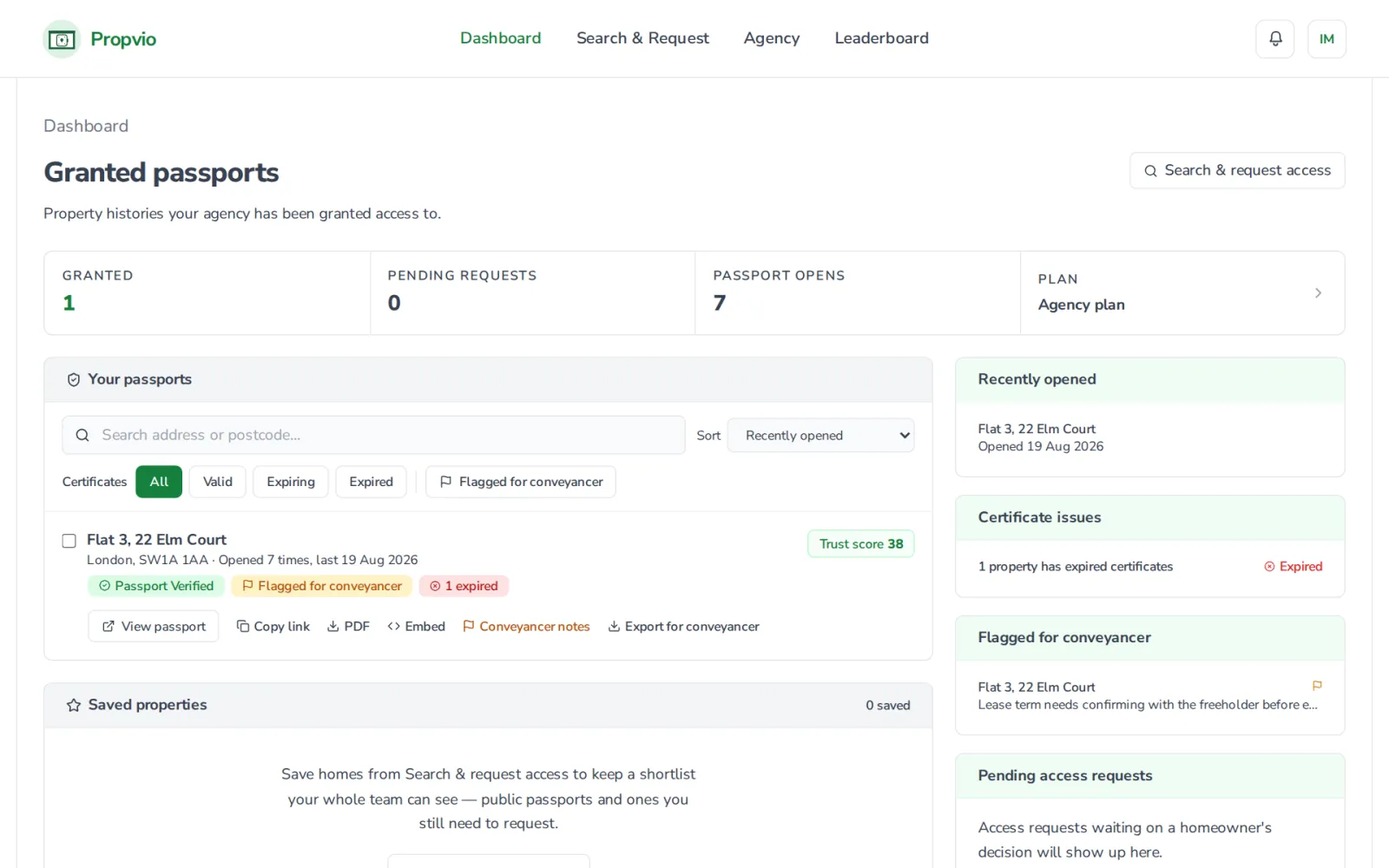
See when a passport you shared has been opened, so you know who to follow up with.
The simple loop
Request access from the homeowner, then securely share the property’s recorded history with prospective buyers.
Find the property by address or postcode and request access to its Property Passport. The homeowner stays in control and chooses whether to approve your request.
Share a secure Passport link, which can be time-limited, or a PDF report with prospective buyers, and see when the Passport has been viewed.
Buyers can explore recorded repairs, maintenance and improvements alongside supporting documents and linked tradespeople — giving them more context than the property description alone.
How verification works
Our team reviews Gas Safe, NICEIC/NAPIT, company registration and insurance documents before a Verified badge appears.
When an approved accreditation runs out, the Verified badge stops showing until it’s renewed.
Only the homeowner who logged a job the tradesperson confirmed can review it. No job, no review.
Propvio verifies tradesperson identity and accreditation, not the accuracy of individual job descriptions — every job is marked tradesperson-confirmed or homeowner-reported.
See it in action
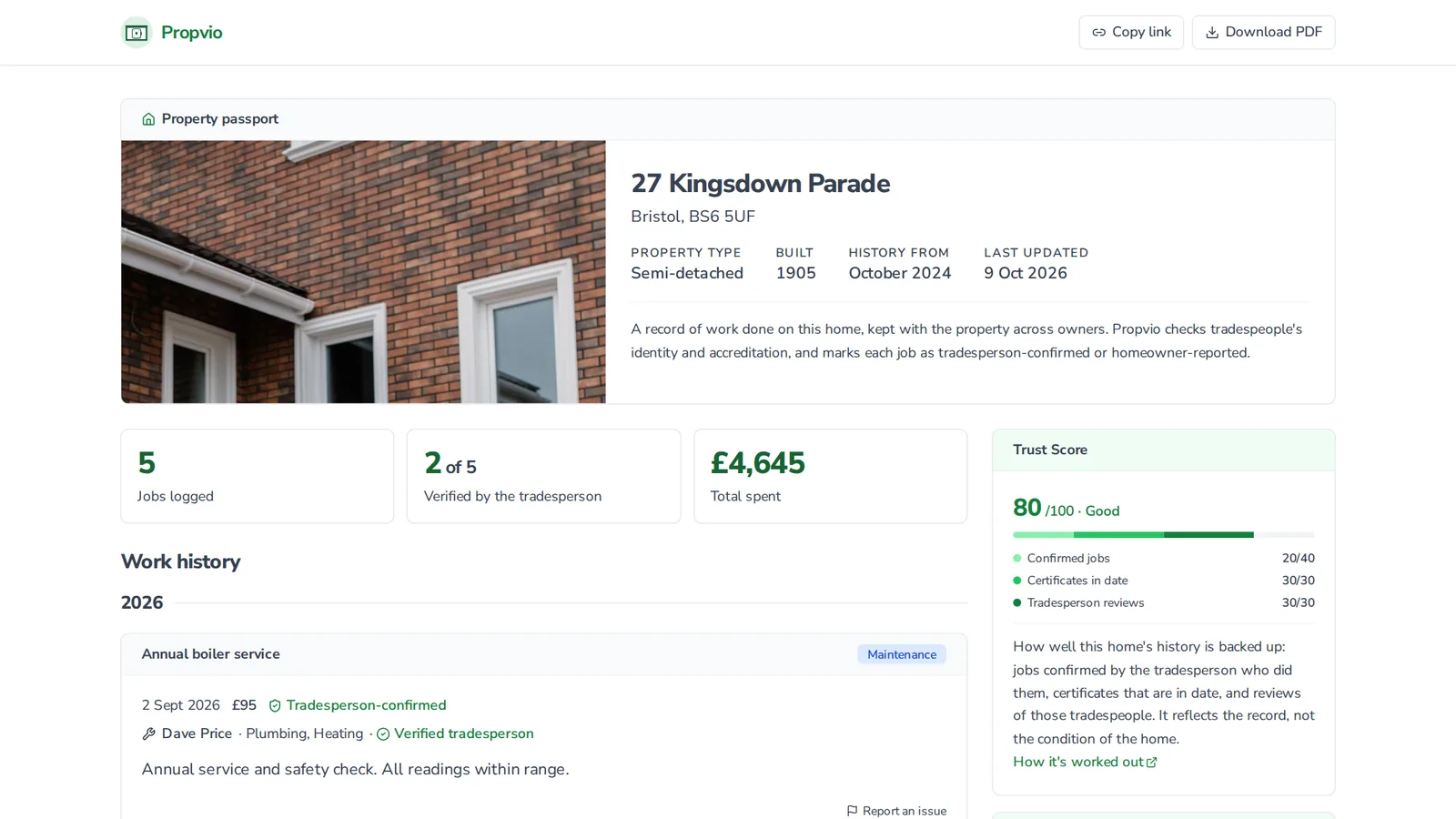
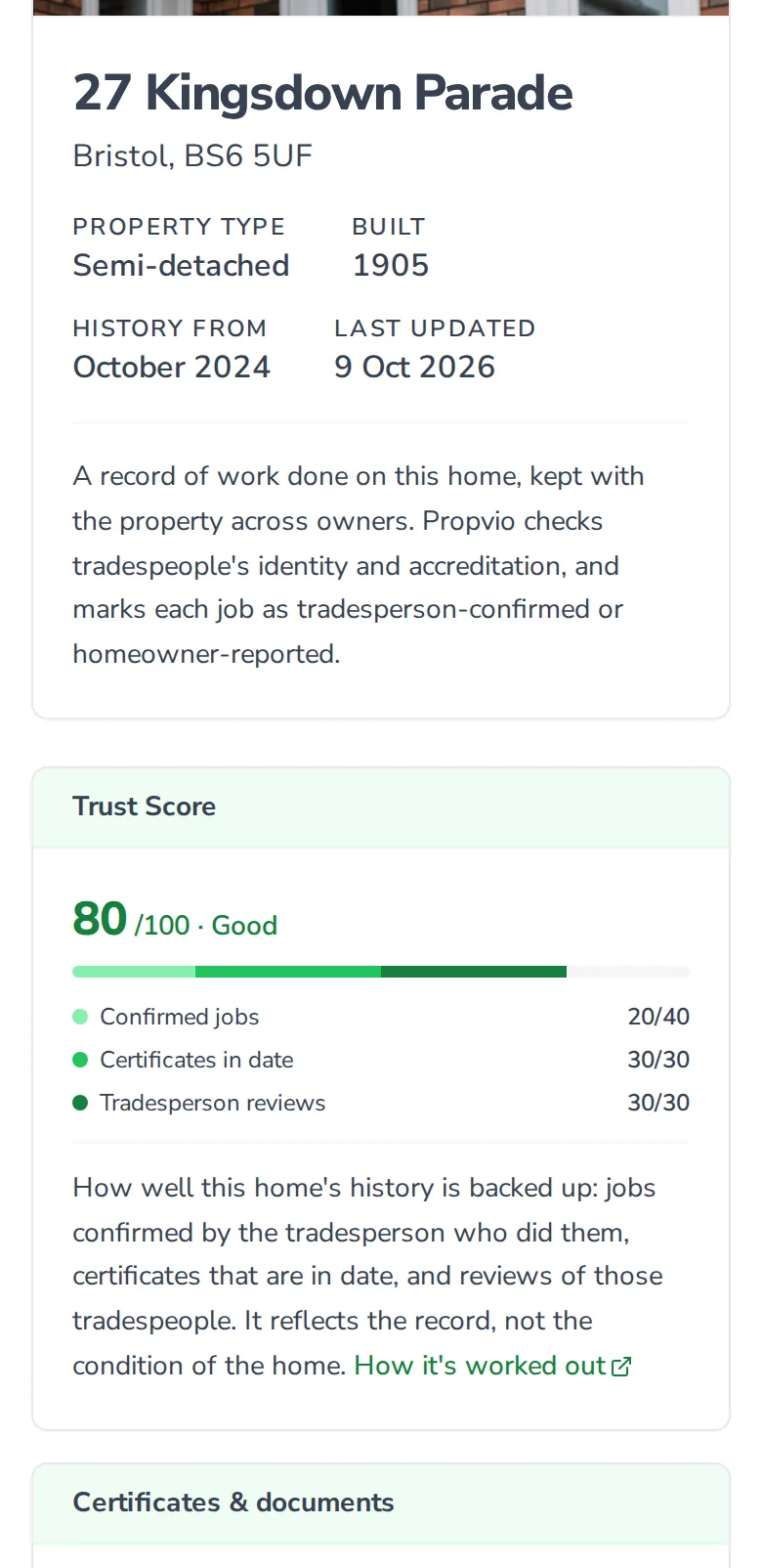
A Trust Score built from confirmed jobs, certificate status and job-linked reviews — ready to share with a buyer, an agent, or anyone who asks.
Different roles, same record
Homeowners, tradespeople and estate agents each use Propvio differently — but they all connect around the same property history. Start with the role that fits you today and add another whenever you need it.
Keep repairs, maintenance, improvements and important documents together. Link the tradespeople behind the work and build a Property Passport you can securely share when it’s time to sell.
Get startedConnect your profile to logged property work, collect job-linked reviews and build a portfolio that gives future customers more context about your experience.
Create your profileAgents can request homeowner-approved access and securely share the Property Passport, giving prospective buyers a clearer view of recorded work, supporting documents and linked tradespeople.
Explore Property Passports
Your next listing
Start free, request access to a property’s Passport and share its recorded history with prospective buyers, with the homeowner in control throughout.
Create your agency accountFree to start — you and one team member.
Homeowner-approved — access is always the owner’s decision.
See engagement — know when a Passport you shared has been opened.
Propvio only uses essential storage to keep you signed in and remember things like your recent searches. No tracking or advertising cookies. See our Privacy Policy.